

Passwords have been guarding digital accounts since the earliest days of computing. Despite decades of technological progress, they remain the most common authentication method in use today, and the most frequently exploited. According to the Verizon Data Breach Investigations Report, stolen or compromised credentials are involved in over 80% of confirmed data breaches. That single statistic tells you everything you need to know about why password security deserves serious attention.
Credential theft has grown into an industry unto itself. Cybercriminals run automated tools that test billions of username and password combinations against enterprise systems, cloud applications, and consumer platforms every day. Phishing campaigns harvest credentials at scale. Dark web marketplaces sell login data from previous breaches for pennies per record. The threat is persistent, sophisticated, and largely preventable.
For organizations, the stakes extend far beyond a compromised email account. A single weak password on a privileged account can give attackers a foothold to move laterally across your network, exfiltrate sensitive data, deploy ransomware, or establish persistent access that goes undetected for months. Identity-based attacks have become the preferred entry point for ransomware gangs, nation-state actors, and financially motivated cybercriminals alike.
This guide covers 25 evidence-based password best practices designed for both individual users and enterprise security teams. It also addresses how modern identity and access management (IAM), multi-factor authentication (MFA), and passwordless authentication technologies are reshaping the future of secure authentication. Whether you are building an enterprise password policy from scratch or trying to strengthen your personal security hygiene, the guidance here is practical, current, and directly actionable.
What Are Password Best Practices?
Definition
Password best practices are a set of security guidelines that help individuals and organizations create, store, manage, and protect passwords to reduce the risk of unauthorized account access. They cover everything from password length and complexity to storage methods, rotation policies, and the adoption of stronger authentication alternatives like multi-factor authentication and passkeys.
Why Password Security Matters
Passwords serve as the primary gatekeepers to digital systems. When those gatekeepers are weak, reused, or poorly managed, attackers need only one successful guess or phished credential to gain access. For an enterprise, that single point of failure can cascade into a full-scale breach affecting thousands of accounts, terabytes of sensitive data, and millions in remediation costs.
Effective password security matters because it is the difference between an attacker who gets stopped at the front door and one who spends six months inside your network.
Common Password Mistakes
Before jumping into best practices, it helps to understand what most people get wrong:
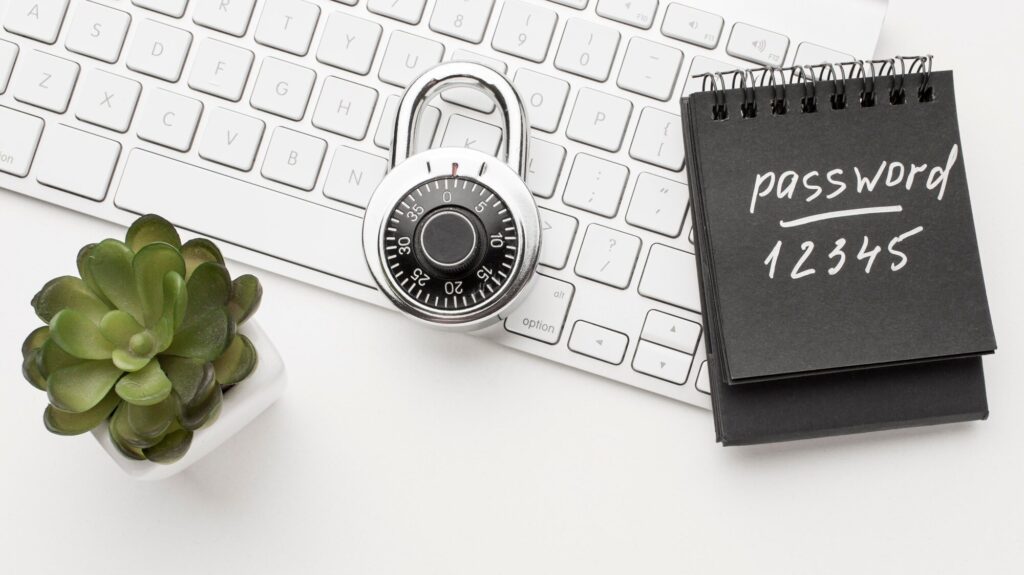
- Using short, simple passwords like
Password1orCompany2024 - Reusing the same password across multiple accounts and systems
- Writing passwords down in unprotected spreadsheets or sticky notes
- Sharing passwords via email, chat, or text messages
- Relying on browser-saved passwords without a dedicated password manager
- Never changing default credentials on new systems or devices
- Failing to enable multi-factor authentication even when it is available
These mistakes are not just common among individual users. Security audits regularly find them embedded in enterprise environments, contractor accounts, and cloud application configurations.
Why Weak Passwords Put Organizations at Risk
Weak password hygiene creates compounding risk across the enterprise. The attack surface expands with every new user, application, and system that relies on password-based authentication. Here is how that exposure typically manifests:
Credential Stuffing: Attackers take username and password combinations leaked from one breach and automatically test them against hundreds of other platforms. Because password reuse is widespread, these attacks succeed far more often than they should.
Phishing: Social engineering remains one of the most effective credential harvesting techniques. A convincing spoofed login page or urgent email can convince even security-aware employees to hand over their credentials.
Brute Force and Password Spraying: Automated tools can attempt thousands of password combinations per second. Password spraying, which tests a small set of common passwords against large numbers of accounts, evades lockout policies that only trigger on repeated failures for a single account.
Insider Threats: Shared or improperly controlled passwords create accountability gaps. When multiple users share a single credential, it becomes impossible to attribute actions to specific individuals, complicating both audit trails and incident investigations.
Account Takeover: Once attackers control a user account, they can escalate privileges, access sensitive data, plant malware, or use that account to compromise others through trusted internal communications.
Data Breaches: Most major data breaches have a compromised credential somewhere in the kill chain. The cost is substantial. IBM’s Cost of a Data Breach Report puts the average cost of a credential-based breach at over $4.5 million.
25 Password Best Practices Every User Should Follow

1. Use Long Passwords
Password length is the single most important factor in resistance to brute force attacks. A 12-character password is exponentially harder to crack than an 8-character one. NIST password guidelines now recommend a minimum of 15 characters for general accounts and longer for privileged credentials. Aim for at least 16 characters wherever the application allows.
2. Use Passphrases Instead of Single Words
A passphrase is a string of random, unrelated words combined to form a memorable but highly secure password. An example would be correct-horse-battery-staple or BlueMountainRiverFog47. Passphrases are easier to remember than random character strings and significantly harder to crack. They also tend to meet complexity requirements naturally without forcing unnatural substitutions like P@ssw0rd.
3. Never Reuse Passwords Across Accounts
Password reuse is the reason credential stuffing attacks work so well. When a breach exposes your email and password from one site, attackers immediately test those same credentials on banking, cloud, email, and enterprise platforms. Each account must have a unique password. Full stop.
4. Enable Multi-Factor Authentication on Every Account
Multi-factor authentication (MFA) requires a second form of verification beyond the password, such as a one-time code from an authenticator app, a hardware security key, or a biometric scan. Even if an attacker steals your password, MFA blocks them from accessing the account without that second factor. MFA is the single highest-impact security control available to most organizations. Enable it everywhere it is supported.
5. Use an Authenticator App Rather Than SMS for MFA
SMS-based two-factor authentication (2FA) is better than nothing, but it is vulnerable to SIM swapping attacks, where attackers convince mobile carriers to transfer your phone number to a device they control. Authenticator apps like Microsoft Authenticator, Google Authenticator, or Duo Security generate time-based one-time passwords (TOTP) locally on your device, eliminating that vulnerability.
6. Deploy a Password Manager
A password manager generates, stores, and auto-fills strong, unique passwords for every account. It removes the cognitive burden of memorizing dozens of credentials and eliminates the temptation to reuse or simplify passwords. For enterprises, password management software with centralized administration provides audit trails, policy enforcement, and secure sharing capabilities.
7. Use a Password Vault for Privileged Credentials
Privileged accounts, including domain admins, service accounts, root accounts, and API keys, require a higher level of protection. A dedicated password vault with check-in/check-out workflows, session recording, and automatic rotation ensures that these high-value credentials are never exposed unnecessarily. Privileged access management (PAM) solutions like CyberArk are purpose-built for this use case.
8. Avoid Storing Passwords in Browsers Alone
Browser-based password storage is convenient but limited in security controls. Browsers do not enforce enterprise policies, offer minimal audit capabilities, and can be compromised through malicious browser extensions or device access. Use a dedicated enterprise password manager instead, and treat browser storage as a last resort for non-sensitive accounts.
9. Never Share Passwords
Every shared credential is a security liability. When passwords are shared between team members, accountability disappears and access cannot be revoked cleanly when someone leaves. Role-based access control (RBAC) and shared account solutions within a PAM platform allow teams to work with shared resources without exposing raw credentials.
10. Rotate Privileged Credentials Regularly
For standard user accounts, NIST actually discourages mandatory periodic password changes unless there is evidence of compromise, because forced rotation tends to produce weak, predictable patterns like Password1 becoming Password2. However, for privileged credentials, service accounts, and API keys, regular rotation remains important. Automated rotation through a PAM solution removes the human element entirely.
11. Use a Password Generator for New Credentials
Human-generated passwords tend to follow predictable patterns, drawing on names, dates, favorite things, and keyboard walks. A cryptographically secure password generator produces genuinely random strings that resist pattern-based attacks. Most password managers include built-in generators. Configure them to produce at least 16 characters with a mix of letters, numbers, and symbols.
12. Monitor for Compromised Credentials
Services like Have I Been Pwned aggregate known breach data and allow users and organizations to check whether specific email addresses or passwords have appeared in publicly known breaches. Enterprise identity security platforms can monitor dark web sources and alert security teams when corporate credentials appear in threat intelligence feeds.
13. Apply Least Privilege to All Accounts
The principle of least privilege means every user, application, and system account should have only the permissions required to perform its specific function, nothing more. When an account with excessive privileges is compromised, the damage radius is proportionally larger. Implementing least privilege through identity governance and access reviews limits what an attacker can do even after a successful credential compromise.
14. Enforce a Strong Enterprise Password Policy
A documented, enforced password security policy sets minimum standards across the organization. Key elements include minimum length requirements, complexity rules, prohibition on common passwords, MFA requirements, account lockout thresholds, and guidelines for service account management. Policy enforcement through Active Directory, Microsoft Entra ID, or a dedicated IAM platform ensures standards are actually applied rather than just documented.
15. Block Common and Compromised Passwords
Many identity platforms allow organizations to configure banned password lists that prevent users from choosing commonly used passwords like Summer2024! or passwords that have appeared in known breach databases. Microsoft Entra ID includes a global banned password list and allows custom additions. This single control eliminates a significant percentage of password-based attack surface.
16. Implement Account Lockout and Rate Limiting
Brute force attacks rely on the ability to make unlimited authentication attempts. Account lockout policies that temporarily disable accounts after a defined number of failed attempts, combined with rate limiting on authentication endpoints, disrupt automated attack tools. Fine-tune thresholds to balance security against the help desk burden of frequent legitimate lockouts.
17. Educate Employees on Password Security and Phishing
Technology controls alone are not sufficient. Regular security awareness training that covers phishing recognition, safe password practices, and the importance of MFA creates a human layer of defense that complements technical controls. Simulated phishing exercises help reinforce training and identify employees who need additional coaching.
18. Secure All Service and API Accounts
Service accounts and API credentials are frequently overlooked in enterprise password management programs. They often have excessive permissions, rarely rotate, and may be embedded in application code, scripts, or configuration files where they are difficult to track. Inventorying and managing these credentials through a PAM or secrets management solution is a critical step in reducing enterprise attack surface.
19. Enforce MFA for Remote Access
Remote access points, including VPN, Remote Desktop Protocol (RDP), and remote administration tools, are frequent targets for credential-based attacks. Requiring MFA for all remote authentication significantly reduces the risk that stolen credentials can be used to establish unauthorized remote sessions.
20. Conduct Regular Access Reviews
User accounts accumulate access over time as job responsibilities change and people move between roles or departments. Access reviews, also called access certifications, ensure that each user’s access rights remain appropriate for their current role. Identity governance platforms automate the review workflow, making it practical to run reviews quarterly or on a continuous basis.
21. Protect Passwords in Transit and at Rest
Passwords should never be transmitted or stored in plaintext. In transit, all authentication traffic should use TLS 1.2 or higher. At rest, passwords must be hashed using modern algorithms like bcrypt, scrypt, or Argon2, with a unique salt applied per password to prevent rainbow table attacks. Legacy systems using MD5 or SHA-1 for password storage should be updated immediately.
22. Avoid Using Personal Information in Passwords
Birthdays, names, pet names, home cities, and favorite sports teams are trivially guessable, especially in an era where so much personal information is publicly available on social media. Password generation tools and passphrases composed of random words sidestep this problem entirely.
23. Implement Zero Trust Authentication Principles
Zero Trust security operates on the principle that no user, device, or network should be trusted by default, even inside the corporate perimeter. Applied to authentication, Zero Trust means continuous verification of identity, device health, and context at every access request rather than assuming that a successful login at the perimeter grants unrestricted access to internal resources. Risk-based authentication that evaluates location, device, time of access, and behavior patterns aligns well with Zero Trust principles.
24. Prepare for Passwordless Authentication
Passwordless authentication eliminates shared secrets entirely, replacing them with cryptographic credentials that are phishing-resistant and not reusable across sites. Technologies like FIDO2, WebAuthn, and passkeys enable organizations to move toward authentication that does not rely on passwords at all. Passkeys, now supported by major platforms including Apple, Google, and Microsoft, bind a cryptographic key pair to a specific device and biometric factor, making phishing and credential stuffing effectively impossible.
25. Align Password Policies with Current NIST Guidelines
The National Institute of Standards and Technology publishes regularly updated password guidelines in NIST Special Publication 800-63B. Current recommendations include prioritizing length over complexity requirements, checking passwords against known breach databases, eliminating mandatory periodic rotation for standard accounts, not requiring character composition rules that drive predictable workarounds, and allowing users to paste passwords (which supports password manager adoption). Aligning your password policy with NIST guidance reflects current security research rather than outdated assumptions.
Password Managers Explained
Benefits
A password manager is software that generates strong, unique passwords and stores them in an encrypted vault accessible with a single master password or biometric authentication. The practical benefits are significant. Users no longer need to remember dozens of complex passwords, which removes the primary incentive for password reuse and simplification. Auto-fill functionality reduces the risk of entering credentials on phishing sites that differ subtly from the legitimate domain.
Enterprise Password Management
Enterprise password management solutions extend these benefits to the organizational level. Centralized administration allows security teams to enforce password policies, control sharing, audit access, and revoke credentials when employees leave. Many enterprise password management platforms integrate with Active Directory, Microsoft Entra ID, LDAP directories, and SIEM tools to provide a comprehensive credential management capability.
Password Vaults
A password vault is a secured, encrypted repository specifically designed for sensitive and privileged credentials. Unlike general password managers, enterprise password vaults typically include workflow controls for requesting and approving access, session recording for privileged sessions, automatic credential rotation, and integration with identity governance platforms. CyberArk, BeyondTrust, and Delinea are well-known providers in this space.
Common Misconceptions
“A password manager is a single point of failure.” This concern is understandable but addressed by multiple layers of protection: strong master password requirements, MFA for vault access, encryption that protects stored credentials even if the vendor is breached, and zero-knowledge architecture in leading solutions.
“Browsers already save my passwords.” Browser-saved passwords lack enterprise policy enforcement, audit capabilities, and the security architecture of dedicated solutions. They are adequate for casual personal use but not for business applications.
Passwords vs. Passphrases
| Attribute | Traditional Password | Passphrase |
|---|---|---|
| Example | X7#mQ2pL | BlueMountainRiverFog47 |
| Length | 8-12 characters (typical) | 20+ characters |
| Memorability | Low | High |
| Entropy | Moderate | High |
| Resistance to brute force | Moderate | High |
| Meets complexity rules | Often requires workarounds | Naturally compliant |
| User adoption | Poor (leads to reuse) | Better |
NIST’s current guidance favors long passphrases over short, complex passwords specifically because human behavior under complexity requirements reliably produces weak, predictable patterns.
Passwords vs. Passwordless Authentication
The most significant shift in authentication security over the past several years is the move toward eliminating passwords entirely. Passwordless authentication replaces the shared-secret model with cryptographic proof of identity.
| Feature | Password-Based | Passwordless |
|---|---|---|
| Credential type | Shared secret | Cryptographic key pair |
| Phishing resistance | Low | High (FIDO2/WebAuthn) |
| Credential stuffing risk | High | Eliminated |
| User experience | Variable | Generally better |
| Brute force risk | Moderate to high | Eliminated |
| Reuse risk | High | Not applicable |
| Biometric support | Optional via MFA | Native |
| Enterprise adoption maturity | Mature | Rapidly growing |
Passkeys represent the current consumer and enterprise frontier of passwordless authentication. Based on the FIDO2 and WebAuthn standards, passkeys replace the password with a device-bound cryptographic key pair that authenticates the user through biometrics or device PIN. Because the private key never leaves the device, there is nothing to steal from a server breach, and because passkeys are bound to the originating domain, they cannot be phished.
Biometric authentication, adaptive authentication, and risk-based authentication complement passwordless strategies by adding behavioral and contextual signals to the authentication decision. Identity Threat Detection and Response (ITDR) platforms extend this further by continuously analyzing authentication patterns for anomalies that might indicate account compromise even after a successful login.
How IAM Improves Password Security
Identity and access management is the discipline responsible for ensuring that the right people have the right access to the right resources at the right time. IAM platforms transform password security from a point-in-time policy exercise into a continuous, automated security function.
Identity Governance provides visibility into who has access to what across the enterprise, enabling automated access reviews, separation of duties enforcement, and role-based access control. When access is governed systematically, the impact of a compromised credential is limited by appropriate provisioning controls.
Single Sign-On (SSO) reduces the number of credentials users must manage by allowing a single authenticated session to grant access to multiple applications. Fewer credentials means a smaller attack surface and less incentive for users to choose weak or reused passwords. SSO also centralizes authentication enforcement, making it straightforward to require MFA across all connected applications.
Adaptive Authentication adjusts the authentication requirements based on contextual signals: the user’s location, device health, time of access, and behavioral patterns. A login from a familiar device during normal working hours might require only a password and MFA code, while an unusual login from a foreign country triggers step-up authentication or blocks the attempt entirely.
Access Reviews and Lifecycle Management ensure that access rights are continuously aligned with current job responsibilities. Identity lifecycle management automates provisioning when employees join and, critically, deprovisioning when they leave, closing the window on dormant accounts that attackers frequently target.
Privileged Access Management wraps the most powerful credentials in the enterprise with workflow controls, session monitoring, and automated rotation. PAM solutions from vendors like CyberArk, BeyondTrust, and Delinea provide the privileged credential controls that standard IAM platforms were not designed to deliver.
Avancer Corporation helps organizations design and implement IAM architectures that address these capabilities in a coordinated way, reducing credential-based risk across the enterprise rather than tackling each element in isolation.
Password Security for Businesses
Enterprises face password security challenges that go well beyond what individual users encounter. The scale and complexity of a corporate environment introduces risk vectors that require deliberate management.
Employee Password Policies must be documented, enforced through technical controls, and communicated regularly. Awareness training should explain the reasoning behind policies rather than simply mandating compliance. Employees who understand why strong passwords matter are more likely to follow guidelines consistently.
Vendor and Contractor Accounts present particular risk because they often have access to sensitive systems but fall outside standard user lifecycle management processes. Vendor accounts should be provisioned with just-in-time access, time-limited credentials, and formal deprovisioning workflows tied to contract end dates.
Third-Party Access to internal systems via APIs, integrations, and service accounts should be governed through the same identity governance framework as human user access. API keys and service account credentials should be rotated regularly and stored in a secrets management solution rather than hardcoded in application code.
Remote Workforce security depends heavily on strong authentication for remote access points. VPN, virtual desktop infrastructure (VDI), and cloud application access should all require MFA as a baseline. Conditional access policies that evaluate device compliance before granting access add another layer of protection.
Cloud Applications introduce sprawl. Employees routinely create accounts with corporate email addresses on SaaS platforms that the IT department has never evaluated or approved. Shadow IT creates unmanaged credential risk. A comprehensive cloud identity management strategy, typically built around an identity provider like Okta, Microsoft Entra ID, or Ping Identity, centralizes authentication across approved cloud applications and provides visibility into unauthorized application adoption.
BYOD Security requires policies that address how personal devices interact with corporate credentials. Devices that access corporate resources should meet minimum security standards, and corporate credentials should be managed through enterprise applications rather than native device credential stores.
Password Security Compliance
Multiple regulatory and industry frameworks establish specific requirements for password and authentication security. Understanding your obligations is a prerequisite for building a compliant password policy.
NIST (SP 800-63B) is not a regulatory requirement for most private organizations but sets the evidence-based standard that other frameworks increasingly reference. Current NIST password guidelines emphasize length over complexity, breach-list checking, and removal of mandatory rotation for standard accounts.
ISO 27001 requires organizations to implement access control policies that include password management as part of its Annex A controls. Certification requires documented policies, technical controls, and evidence of implementation.
HIPAA (Health Insurance Portability and Accountability Act) requires covered entities and business associates to implement technical safeguards for electronic protected health information (ePHI), including access controls that rely on unique user identification and automatic logoff. Strong password policies and MFA are standard components of HIPAA compliance programs.
PCI DSS (Payment Card Industry Data Security Standard) includes explicit password requirements under Requirement 8, including minimum length, complexity, history restrictions, and MFA for all administrative and remote access. PCI DSS v4.0 strengthens MFA requirements significantly.
GDPR (General Data Protection Regulation) does not prescribe specific password standards but requires organizations to implement appropriate technical measures to protect personal data. Regulators and courts increasingly view inadequate authentication as a failure of this obligation.
SOC 2 assessments evaluate access control and user authentication as core trust service criteria. Password policies, MFA enforcement, and privileged access controls are standard areas of examination in SOC 2 audits.
Organizations in regulated industries benefit from working with experienced IAM consulting partners who understand how identity and authentication controls map to specific compliance requirements, reducing the burden of demonstrating compliance during audits.
Password Security Checklist
For Individual Users
- All accounts use unique passwords
- All passwords are at least 16 characters long
- Passwords are stored in a dedicated password manager
- MFA is enabled on all accounts that support it
- Authenticator app is used instead of SMS where possible
- Email address has been checked against known breach databases
- No passwords are written down in unprotected locations
- No passwords are shared with others
- Browser-only password storage is not used for sensitive accounts
- Passkeys are enabled on supporting platforms
For Enterprise Security Teams
- Enterprise password policy is documented and enforced via technical controls
- MFA is required for all user accounts, especially remote and cloud access
- Privileged credentials are managed through a PAM solution
- Password vaults are deployed for service accounts and API keys
- Common and breached passwords are blocked at the identity provider
- Account lockout policies are configured and tested
- Access reviews are conducted at least annually; quarterly for privileged accounts
- Least privilege is enforced through RBAC and identity governance
- Employee security awareness training covers phishing and password hygiene
- Password policy is aligned with NIST SP 800-63B
- SSO is deployed to reduce credential sprawl across cloud applications
- Passwordless authentication roadmap is defined
- Vendor and contractor account lifecycle management is formalized
- Secrets management solution is deployed for development and CI/CD environments
- Compliance requirements (HIPAA, PCI DSS, SOC 2, etc.) are mapped to password controls
The Future of Password Security
The trajectory of authentication is clear: passwords are being displaced, not just supplemented. The timeline varies by organization and use case, but the direction is consistent across the industry.
Passwordless Authentication adoption is accelerating. FIDO2 passkey support is now built into iOS, Android, Windows, and all major browsers. Major identity providers including Microsoft, Google, Okta, and Ping Identity have released passkey support into production. Enterprises that begin their passwordless migration now will be better positioned as the ecosystem matures.

Adaptive and Risk-Based Authentication will become the default authentication model. Rather than applying the same authentication requirements to every login, adaptive systems continuously evaluate risk signals and adjust requirements in real time. A low-risk login gets a frictionless experience; an anomalous one triggers step-up challenges or blocks entirely.
AI-Driven Authentication is beginning to incorporate machine learning models trained on behavioral biometrics, including how a user types, moves a mouse, or holds a phone. These continuous authentication signals can detect account takeover even after initial authentication succeeds, addressing the gap between the login event and the full session.
Continuous Authentication moves beyond the binary model of authenticated versus unauthenticated. Systems continuously re-evaluate trust throughout a session based on behavioral signals, device posture, and environmental factors. A session that begins legitimately but whose behavior shifts to resemble data exfiltration can be challenged or terminated automatically.
Identity Threat Detection and Response (ITDR) represents the convergence of identity security and threat detection. ITDR platforms analyze identity and authentication telemetry for indicators of compromise: unusual access patterns, privilege escalation attempts, lateral movement through identity systems, and anomalous service account behavior. Organizations like SailPoint and others are investing heavily in ITDR as a distinct identity security capability.
How Avancer Corporation Helps Organizations Strengthen Password Security
Avancer Corporation works with enterprises across industries to build identity security programs that go beyond basic password policies. The focus is on sustainable, scalable architectures that reduce credential-based risk while supporting business agility and regulatory compliance.
IAM Implementation: Avancer designs and deploys identity and access management platforms tailored to each organization’s environment, whether on-premises, cloud, or hybrid. This includes directory services, identity providers, and the policy frameworks that govern authentication across the enterprise.
Identity Governance: Strong password security requires knowing who has access to what and whether that access is appropriate. Avancer helps organizations deploy identity governance platforms, including SailPoint, Saviynt, and others, that automate access reviews, enforce separation of duties, and provide the visibility needed to manage identity risk at scale.
Multi-Factor Authentication: Avancer helps organizations select and deploy MFA solutions appropriate to their environment and risk profile, from basic TOTP authenticators to hardware security keys and adaptive authentication platforms. MFA deployment includes policy design, user communication, and exception management frameworks.
Passwordless Authentication: For organizations ready to move beyond passwords, Avancer provides advisory and implementation services for FIDO2, passkeys, and passwordless authentication architectures. This includes evaluating application compatibility, designing the migration path, and supporting the identity provider configuration needed to support passwordless enrollment.
Single Sign-On: Reducing credential sprawl through SSO is one of the most impactful steps an organization can take to improve password security at scale. Avancer deploys and integrates SSO across cloud and on-premises applications, enabling centralized MFA enforcement and simplified access governance.
Privileged Access Management: Avancer implements PAM solutions that bring privileged credentials under centralized control, including automated rotation, session recording, just-in-time access, and integration with identity governance workflows.
Zero Trust Architecture: Avancer helps organizations apply Zero Trust principles to authentication and access, moving from perimeter-based trust models to continuous verification architectures that limit the blast radius of compromised credentials.
Regulatory Compliance: Organizations facing HIPAA, PCI DSS, SOC 2, ISO 27001, or GDPR requirements benefit from Avancer’s experience mapping identity and authentication controls to specific compliance obligations, making audit preparation more efficient and defensible.
The approach at Avancer is advisory first. The goal is to understand each client’s risk profile, existing environment, and business priorities before recommending solutions, not to fit clients into a predetermined technology stack.
Conclusion:
Passwords are not going away tomorrow. For the foreseeable future, they will remain a central element of enterprise authentication alongside emerging alternatives. That reality makes strong password hygiene, enforced through technical controls and supported by security-aware users, as important as it has ever been.
At the same time, organizations that continue to treat passwords as their primary security control are falling behind. The combination of strong password management, universal MFA, identity governance, and a defined path toward passwordless authentication represents the current standard of care in enterprise identity security. Zero Trust architectures that apply continuous verification rather than one-time authentication provide the resilience that modern threat actors make necessary.
The organizations that manage credential risk most effectively are not those with the most restrictive password policies. They are the ones with comprehensive identity security programs that address the full lifecycle of credentials: how they are created, how they are stored and protected, how access is governed, and how anomalous activity is detected and responded to.
Avancer Corporation helps enterprises build those programs, from initial IAM strategy through deployment, integration, and ongoing governance. The goal is always the same: reducing identity-based risk while enabling the business to operate with confidence.
Frequently Asked Questions:
What are password best practices?
Password best practices are security guidelines for creating, storing, and managing credentials to prevent unauthorized access. Core practices include using unique passwords of at least 16 characters for every account, enabling multi-factor authentication, using a dedicated password manager, and monitoring for credential compromise. Enterprises add policy enforcement, privileged access management, and identity governance to this foundation.
How do I create a strong password?
The most effective approach is to use a password manager that generates random credentials for you. If you need a manually memorable password, create a passphrase using four or more random, unrelated words combined with numbers or symbols, such as CorrectHorseBatteryStaple72. Avoid names, dates, words from dictionaries, and keyboard patterns.
What is the ideal password length?
Current NIST guidelines recommend a minimum of 15 characters for standard accounts. Longer is better. For privileged accounts and critical systems, 20 or more characters is appropriate. Length provides far more security than complexity requirements that force patterns like substituting @ for a.
Should passwords be changed regularly?
NIST guidance no longer recommends mandatory periodic password rotation for standard user accounts, because forced changes tend to produce weak, predictable variations. Passwords should be changed immediately when there is evidence of compromise or when an employee with access to shared credentials leaves the organization. Privileged credentials and service accounts benefit from automated rotation on a regular schedule.
Are password managers safe?
Leading password managers use strong encryption and zero-knowledge architectures that protect stored credentials even if the vendor’s servers are compromised. They are significantly safer than the alternatives most users employ, including browser storage, sticky notes, spreadsheets, or password reuse. Enterprise password management solutions add centralized administration, policy enforcement, and audit capabilities.
What is password reuse?
Password reuse means using the same password across multiple accounts. It is one of the most dangerous password habits because a single breach that exposes one credential can give attackers access to every account where that password is used. Automated credential stuffing tools make this exploitation trivially easy. Every account must have a unique password.
What is a passphrase?
A passphrase is a sequence of random, unrelated words used as a password. Passphrases like BlueMountainClockSilver are easier to remember than random character strings while providing comparable or superior security through length. NIST recommends passphrases as a preferred approach for credentials that users must memorize.
What is passwordless authentication?
Passwordless authentication replaces the traditional password with a cryptographic credential that proves identity without sharing a secret with the authentication server. Technologies include FIDO2 passkeys, biometric authentication, hardware security keys, and magic links. Passkeys, the current leading standard, bind a cryptographic key pair to a specific device and biometric factor, making phishing and credential theft effectively impossible.
