
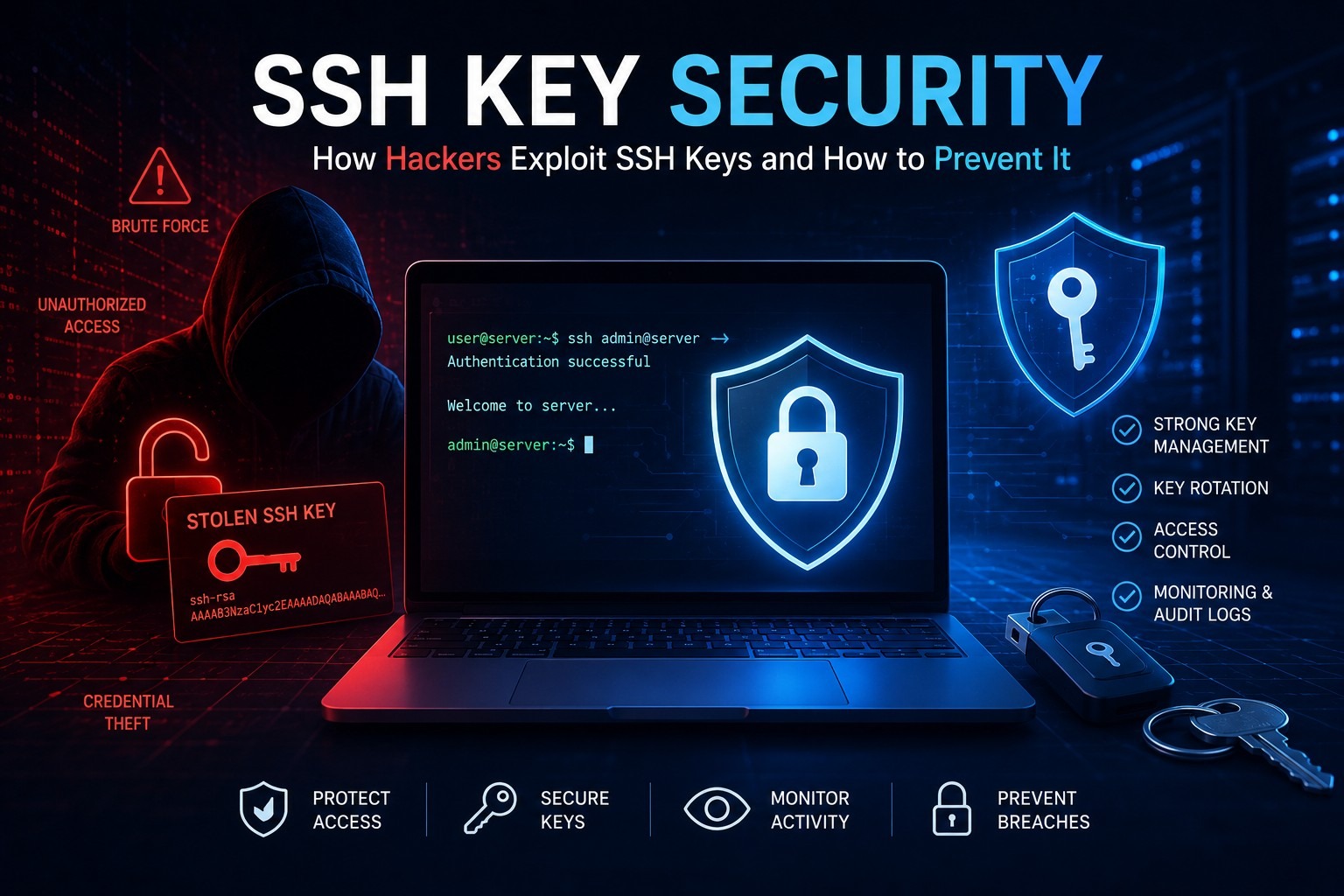
Every enterprise runs on remote access. Whether your teams are managing Linux servers, deploying applications through CI/CD pipelines, or spinning up cloud infrastructure on AWS, Azure, or Google Cloud, SSH keys are the credentials that make it all work. They sit at the intersection of operational efficiency and privileged access security, and in most organizations, they are critically under-managed.
The problem is not that SSH is insecure. Secure Shell (SSH) is a well-established, cryptographically sound protocol. The problem is that the keys themselves, the actual credentials used to authenticate over SSH, often exist outside any formal governance program. They get created, shared, forgotten, and left in place long after the systems or people they were intended for have moved on.
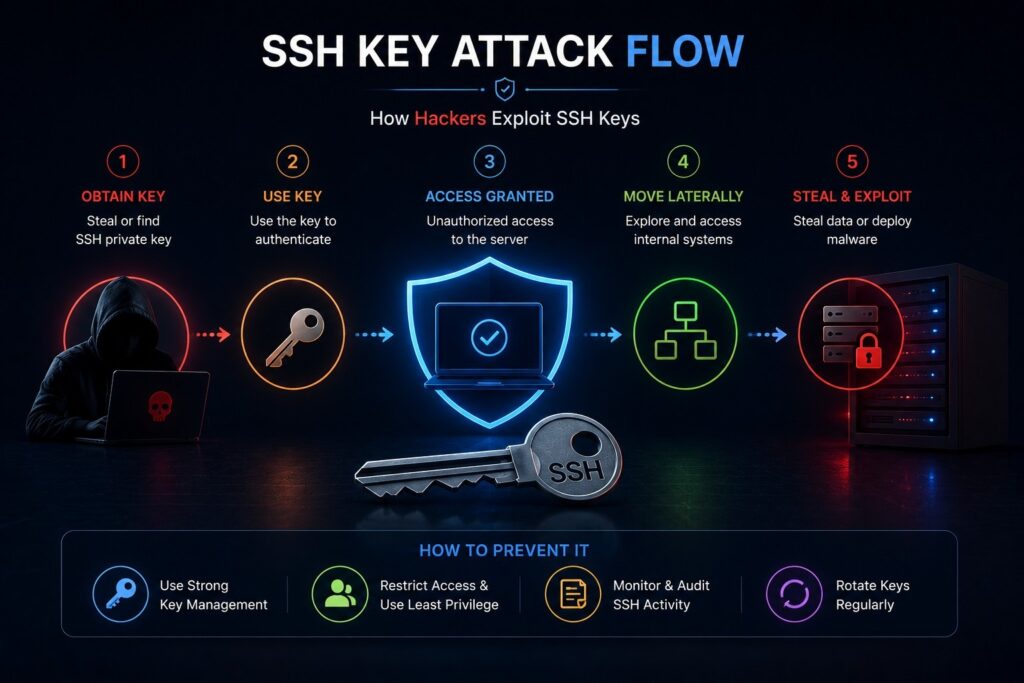
Threat actors know this. Attacks targeting privileged credentials have increased significantly, with SSH keys frequently appearing in post-breach forensic reports as the initial access vector or lateral movement mechanism. When an organization cannot answer basic questions like “How many SSH keys do we have?” or “Who has root access to our production servers?”, that is not just an operational gap. It is a security program failure.
This guide covers what SSH key management really means in an enterprise context, where most programs fall short, and the best practices that security, infrastructure, and compliance teams can act on today.
What Are SSH Keys?
SSH keys are cryptographic credentials used to authenticate connections over the Secure Shell protocol. Unlike passwords, which rely on a shared secret, SSH key authentication uses asymmetric cryptography, a mathematical relationship between a key pair where each key can verify the other without ever transmitting the private key across the network.

Public Key Authentication
Public key authentication is the foundation of SSH security. When a user or system wants to connect to an SSH server, the server checks whether the connecting party holds the private key that corresponds to an authorized public key stored in its authorized_keys file. If the cryptographic challenge succeeds, access is granted without a password exchange.
This makes SSH key authentication significantly more resistant to credential interception, phishing, and brute-force attacks than password-based authentication.
Private Keys
The private key is the sensitive half of the key pair. It must remain exclusively in the possession of the entity it was generated for, whether that is a human administrator, an automation script, a service account, or a CI/CD pipeline agent. If a private key is copied to multiple systems, embedded in code repositories, or stored without passphrase protection, it effectively becomes an uncontrolled privileged credential.
In most enterprise environments, private key hygiene is where SSH security programs break down first.
SSH Authentication Process
When an SSH connection is initiated, the process works like this:
- The SSH client presents the public key to the SSH server
- The server checks its
authorized_keysfile for a matching entry - The server generates a cryptographic challenge encrypted with the public key
- The client decrypts the challenge using the private key and sends the response
- The server verifies the response and grants access
This entire exchange happens in milliseconds and never exposes the private key to the network.
SSH Certificates vs SSH Keys
Standard SSH key pairs require direct management of authorized_keys files across every server. SSH certificate authentication introduces a Certificate Authority (CA) into the process. Instead of distributing individual public keys to every server, the CA signs user or host certificates, and servers are configured to trust any certificate issued by that CA.
SSH certificates solve several persistent SSH key management problems:
- Certificates carry a built-in expiration date, eliminating permanent access grants
- Centralized CA control means access can be revoked by invalidating certificates rather than hunting down authorized_keys entries
- Certificate-based SSH integrates naturally with PKI infrastructure and identity governance platforms
- Auditing is significantly simplified because access history traces back to CA-issued certificates
For enterprise environments, SSH certificate authentication represents the more mature and governable approach to SSH access.
What Is SSH Key Management?
SSH key management is the practice of discovering, inventorying, controlling, rotating, and governing all SSH keys used within an organization’s infrastructure. It ensures that SSH credentials are authorized, actively maintained, and aligned with identity security and access governance policies.
Effective SSH key management encompasses the full credential lifecycle, not just key generation. It includes:
Why Is SSH Key Management Important?
Unmanaged SSH keys create persistent, often invisible privileged access pathways into critical infrastructure. Without proper governance, organizations accumulate orphaned keys, shared credentials, and permanent root access grants that bypass identity controls, violate compliance requirements, and create significant insider threat exposure.
The components of a comprehensive SSH key management program include:
Discovery: Automated scanning of all servers, cloud instances, containers, and network devices to identify every SSH public key stored in authorized_keys files and every private key stored on endpoints, jump hosts, or within CI/CD systems.
Inventory: Building a structured, queryable record of all SSH keys, including which systems they grant access to, who or what system owns the corresponding private key, when they were created, and whether they are currently in use.
Ownership: Establishing clear accountability for every SSH key pair. Who requested it? Who approved it? What business purpose does it serve? Orphaned keys, keys with no identifiable owner, are one of the most common sources of persistent unauthorized access.
Rotation: Regularly replacing SSH key pairs to reduce the window of exposure if a private key is compromised. Automated rotation eliminates the operational burden that causes organizations to skip this step.
Expiration: Enforcing time-limited access, particularly for administrative and privileged SSH keys. Permanent access grants are incompatible with least privilege principles and most compliance frameworks.
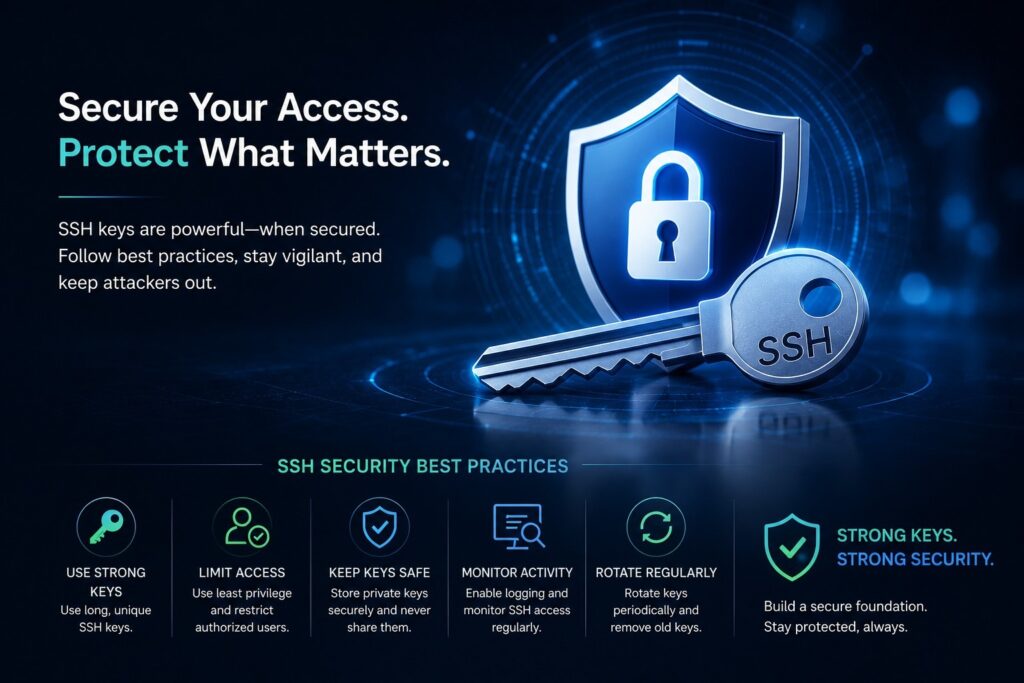
Revocation: Immediately invalidating SSH access for offboarded users, decommissioned systems, or compromised credentials. In environments without centralized SSH governance, revocation often requires manual edits to authorized_keys files across dozens or hundreds of servers.
Monitoring: Logging and analyzing SSH authentication events, connection patterns, and key usage to detect anomalous behavior, unauthorized access attempts, and lateral movement.
Governance: Applying formal policies, approval workflows, access certifications, and compliance controls to SSH key lifecycle management, integrating SSH credentials into the broader identity and access management program.
Why SSH Keys Become a Security Risk
SSH authentication is technically sound. The security failures that enterprise security teams deal with are almost always operational and governance failures rather than protocol vulnerabilities.
Orphaned SSH Keys
An orphaned SSH key is a public key that remains in an authorized_keys file after the corresponding user has left the organization, the system it was intended for has been decommissioned, or the original business purpose no longer exists. Enterprise organizations commonly discover hundreds or thousands of orphaned SSH keys during security assessments.
Each orphaned key represents a potential backdoor. If the corresponding private key was copied, shared, or not properly destroyed, that access pathway remains viable.
Shared Credentials
SSH keys are frequently shared across teams, particularly in DevOps and infrastructure environments where “team keys” get added to servers for convenience. Shared credentials make attribution impossible. When a security incident occurs involving a shared key, there is no way to determine which individual or system initiated the malicious action.
Shared SSH keys also complicate offboarding. When a team member leaves, a shared key cannot be simply removed without disrupting everyone else who relies on it.
Permanent Administrator Access
Many SSH keys are configured with permanent, unconditional access to privileged accounts. A key added to the authorized_keys file of the root account on a Linux server will remain valid indefinitely unless someone actively removes it. In practice, these keys accumulate.
Permanent privileged access grants violate least privilege principles and make it difficult to demonstrate compliance with frameworks like PCI DSS, NIST, and ISO 27001 that require time-limited or periodically reviewed access.
Insider Threats
SSH keys are easily copied. A developer or administrator with legitimate access today can silently copy a private key or add their personal public key to a server’s authorized_keys file, creating a persistent backdoor for future use. Without continuous monitoring of authorized_keys changes and key usage patterns, these insider threats can go undetected for months or years.
Shadow IT
Cloud platforms make it trivial to launch new Linux instances and generate SSH key pairs outside of any formal governance process. Engineering teams building development environments, data science teams spinning up compute instances, and DevOps teams automating deployments all generate SSH keys as a byproduct of normal work. Without discovery and governance tooling, these keys accumulate in the environment completely outside of IT and security visibility.
Compliance Gaps
PCI DSS, HIPAA, SOC 2, and ISO 27001 all have provisions that directly or indirectly govern privileged access credentials, including SSH keys. Organizations that cannot demonstrate SSH key inventory, access reviews, rotation practices, and revocation procedures face audit findings, compliance failures, and in regulated industries, potential penalties.
Lack of Visibility
Many security teams genuinely do not know how many SSH keys exist in their environment, which systems they grant access to, or who controls the corresponding private keys. This visibility gap is not a minor operational inconvenience. It means the organization cannot assess its actual risk exposure, cannot respond effectively to insider threat incidents, and cannot demonstrate effective access governance to auditors.
Common SSH Key Management Challenges

Scale in Enterprise Environments
A mid-sized enterprise might have thousands of Linux servers, each with multiple authorized_keys files across multiple user accounts. Multiplied across on-premises data centers, cloud environments, and hybrid infrastructure, the number of SSH key entries that need to be discovered and managed becomes enormous quickly.
Manual approaches simply do not scale. Spreadsheet-based SSH key inventories are incomplete the moment they are created.
Hybrid Cloud Complexity
Enterprises operating across AWS, Azure, and Google Cloud face SSH key management challenges that span multiple control planes. AWS uses key pairs managed through the EC2 console. Azure supports SSH key authentication for Linux VMs. Google Cloud provides OS Login for SSH access management. Each platform has different mechanisms, and none of them natively integrate with each other or with on-premises SSH infrastructure.
DevOps Pipelines and CI/CD Automation
Jenkins, GitLab CI, GitHub Actions, Ansible, Puppet, Chef, and Terraform all use SSH keys or other machine credentials to authenticate to remote systems. These automation SSH keys are often hardcoded into pipeline configurations, stored as CI/CD secrets with broad access, and never rotated. Service account SSH keys used in automation pipelines frequently have more access than the human administrators who built them.
Kubernetes and Containers
Containerized environments introduce ephemeral workloads with dynamic SSH requirements. Kubernetes nodes, container registries, and service meshes use SSH and other machine credentials in ways that traditional SSH key management tools were not designed to handle. The ephemeral nature of container workloads makes static authorized_keys management impractical.
Third-Party Vendor Access
Vendors, contractors, and managed service providers often require SSH access to client infrastructure. Managing vendor SSH keys, enforcing time-limited access, and ensuring revocation when engagements end adds complexity to SSH governance programs that many organizations handle poorly.
Legacy Infrastructure
Older systems running outdated versions of OpenSSH may not support certificate-based authentication, modern key algorithms, or integration with PAM platforms. Legacy infrastructure creates technical debt that forces organizations to maintain parallel SSH management approaches.
SSH Key Management Best Practices
1. Conduct a Comprehensive SSH Key Discovery
Before any governance program can be effective, you need to know what you have. Automated SSH key scanning should cover all servers, cloud instances, containers, jump hosts, bastion servers, and developer workstations. The scan should capture public keys in authorized_keys files, private keys stored on systems, SSH host keys, and certificate authorities.
Discovery is not a one-time exercise. Continuous SSH key scanning should be part of your ongoing security monitoring posture.
2. Build and Maintain an SSH Key Inventory
Every discovered SSH key should be catalogued with:
- The systems it grants access to
- The user account it grants access to (standard user vs. root vs. service account)
- The owner of the corresponding private key
- The business purpose or associated service
- The date the key was created
- Last known usage date
- Whether the key has an expiration date
This inventory becomes the foundation for all governance activities.
3. Enforce Key Ownership and Accountability
Every SSH key must have a named owner, whether that is a human employee, a system team, or a specific application. Ownerless keys should be treated as potentially orphaned and investigated before removal.
Ownership records should be maintained in your identity governance system and tied to the employee lifecycle so that SSH key revocation is automatically triggered when an employee is offboarded.
4. Implement Automated SSH Key Rotation
SSH keys should be rotated regularly. For highly privileged keys granting root or administrative access, rotation intervals of 90 days or less are appropriate. For service account keys used in automation, rotation should be automated and integrated with secrets management platforms like HashiCorp Vault.
Manual rotation processes are error-prone and rarely followed consistently. Automation is not a convenience, it is a prerequisite for effective key rotation at enterprise scale.
5. Transition to SSH Certificate Authentication
Where your infrastructure supports it, replacing static key pair management with SSH certificate-based authentication significantly reduces the operational burden of key lifecycle management. Certificates expire automatically, access revocation is centralized, and the CA provides a natural integration point with identity governance platforms.
6. Enforce Least Privilege on SSH Access
Not every user or system that needs SSH access needs root access. SSH keys should grant the minimum privilege required for the task, whether that is read-only access to specific directories, access to a specific service account, or time-limited access to a specific server.
Role-based access control (RBAC) principles that apply to application and cloud access should apply equally to SSH access.
7. Implement Just-in-Time SSH Access
Permanent SSH access grants should be the exception, not the standard. Just-in-Time (JIT) access provisioning allows administrators and service accounts to request SSH access for a defined period and specific purpose, with access automatically revoked when the session ends or the time window expires.
JIT access dramatically reduces the standing privilege attack surface that makes SSH keys attractive targets.
8. Integrate SSH Keys with PAM Platforms
Privileged access management platforms like CyberArk, Delinea, and BeyondTrust provide centralized management of privileged credentials, including SSH keys. Integrating SSH key management with PAM enables session monitoring, credential vaulting, rotation automation, and access certification workflows.
9. Require MFA for SSH Access
For privileged SSH access, particularly to production systems, multi-factor authentication adds a second verification layer that compensates for the risk of private key compromise. SSH with MFA can be implemented through PAM integrations, hardware security keys, or TOTP-based authenticators.
10. Monitor SSH Authentication Events Continuously
All SSH authentication events, both successful and failed, should be centralized in a SIEM platform and analyzed for anomalous patterns. Indicators worth monitoring include:
- Authentication from unusual IP addresses or geographies
- Authentication at unusual times for a given user or service account
- Multiple failed authentication attempts followed by success
- SSH access from user accounts that have been recently offboarded
- Newly added public keys to authorized_keys files
11. Conduct Regular SSH Key Audits
Quarterly or semi-annual SSH key audits should review all authorized_keys entries against the current inventory, validate that all keys have identified owners, identify stale keys that have not been used recently, and confirm that access grants remain appropriate.
Access certifications for SSH keys should follow the same formal review process used for application and cloud access.
12. Apply Zero Trust Principles to SSH Access
Zero Trust Architecture treats every access request as potentially hostile, regardless of whether the request originates from inside the corporate network. Applied to SSH, this means:
- No implicit trust based on network location
- Every SSH session requires explicit authentication and authorization
- Access is logged and monitored continuously
- Standing privileges are minimized in favor of JIT provisioning
- Access decisions consider context such as device health, user risk score, and behavioral analytics
SSH Key Management vs Password Authentication
| Criteria | SSH Key Authentication | Password Authentication |
|---|---|---|
| Security Strength | High, asymmetric cryptography | Medium to low, depends on complexity |
| Brute-Force Resistance | Very high | Vulnerable without lockout policies |
| Phishing Resistance | High | Low to medium |
| Scalability | Excellent for automation | Poor, requires credential distribution |
| Automation Suitability | Excellent | Poor, passwords in scripts are a risk |
| Revocation Speed | Requires authorized_keys management | Password reset is immediate |
| Compliance Alignment | Requires governance program | Easier to govern with directory integration |
| User Experience | Seamless for authenticated sessions | Requires manual entry or password manager |
| MFA Integration | Requires additional configuration | Native in most identity platforms |
| Enterprise Suitability | High, preferred for server access | Preferred for application access |
| Cost at Scale | Higher upfront governance investment | Lower upfront, higher breach risk cost |
| Attack Surface | Private key theft and orphaned keys | Password spray, phishing, credential stuffing |
The takeaway: SSH key authentication is technically superior for server and infrastructure access, but it requires a formal governance program to realize its security benefits. Without that program, the attack surface it creates can exceed that of a well-managed password-based system.
SSH Keys and Identity and Access Management
SSH keys are privileged credentials, and privileged credentials belong in your IAM program. The challenge historically has been that SSH keys operate in a different technical domain than the identities and credentials managed in Active Directory, Microsoft Entra ID, or enterprise IAM platforms.

Modern identity governance programs bridge this gap by treating SSH keys as access entitlements that require the same lifecycle management as application roles and cloud permissions.
Identity Governance and SSH Keys
Identity governance platforms can manage SSH key entitlements as part of role definitions, require access certification for SSH access grants, trigger SSH key revocation as part of automated offboarding workflows, and enforce separation of duties policies that prevent inappropriate SSH access combinations.
PAM Integration
Privileged access management platforms are the natural home for SSH key governance in organizations that have made the PAM investment. CyberArk, Delinea, and BeyondTrust all offer capabilities for SSH key discovery, rotation, and privileged session management for SSH connections.
Zero Trust Integration
Integrating SSH access decisions with a Zero Trust platform enables access controls that go beyond static authorized_keys entries. Instead of permanent key grants, access can be evaluated dynamically based on user risk, device health, time, and behavioral context.
Lifecycle Management
SSH key governance should be integrated into joiner-mover-leaver processes. When an employee joins, SSH access should be provisioned through the same request and approval workflow as other access. When an employee moves to a different role, SSH access should be reviewed and adjusted. When an employee leaves, SSH keys should be revoked as part of the automated offboarding sequence.
SSH Key Management and Privileged Access Management
SSH keys are, by definition, privileged credentials. Many SSH keys in enterprise environments grant root access or highly privileged service account access to production Linux servers. This places SSH key management squarely within the PAM domain.
Privileged Accounts and Root Access
The root account on a Linux server is the most privileged identity on that system. SSH keys that grant root access require the highest level of governance control, including time-limited access, multi-factor authentication, and full session monitoring.
Many organizations discover during SSH key audits that dozens or hundreds of root-level authorized_keys entries exist with no identifiable owner and no record of business justification.
Emergency Access and Break-Glass Procedures
PAM platforms typically provide emergency break-glass access procedures for when normal authentication mechanisms fail. SSH emergency access should follow the same formal process, with the emergency session logged, reviewed post-incident, and the temporary credential immediately revoked after use.
Session Monitoring
One of the significant advantages of managing SSH access through a PAM platform is session monitoring capability. Privileged SSH sessions can be recorded, with keystrokes and screen activity captured for forensic purposes. Session recording provides both a deterrent effect and an investigative resource when security incidents occur.
Credential Rotation and Vaulting
PAM platforms vault SSH private keys, restricting direct access to the credential and managing rotation on automated schedules. Users and systems request access through the PAM platform rather than handling private keys directly, which eliminates the private key distribution problem.
SSH Security in Cloud and DevOps Environments
AWS SSH Key Management
AWS EC2 instances use key pairs managed through the AWS console or CLI. AWS does not automatically rotate EC2 key pairs, and key pair management is entirely the customer’s responsibility. Organizations using AWS should integrate EC2 SSH access with AWS IAM for authentication, use AWS Systems Manager Session Manager as an alternative to direct SSH where possible, and apply tagging and governance processes to EC2 key pairs equivalent to their on-premises SSH governance program.
Azure SSH Security
Azure Linux VMs support SSH key authentication. Azure AD SSH Login (now part of Microsoft Entra ID) allows organizations to use their Entra ID identities for SSH authentication, eliminating the need to manage separate SSH key pairs for Azure Linux VMs.
Google Cloud SSH
Google Cloud’s OS Login feature maps Linux user accounts to Google Cloud identities, enabling SSH access control through IAM policies rather than authorized_keys management. OS Login is the recommended approach for SSH access to Google Cloud VMs.
Kubernetes SSH Considerations
Kubernetes environments typically do not require direct SSH access to pod containers in normal operations. However, SSH access to Kubernetes nodes (the underlying virtual machines) still requires SSH key governance. Additionally, Kubernetes secrets management for SSH keys used in CI/CD workflows and GitOps pipelines needs to be included in the SSH key inventory.
CI/CD Pipeline SSH Security
Jenkins, GitHub Actions, GitLab CI, and similar platforms use SSH keys or deploy keys to authenticate to remote repositories and deployment targets. These machine SSH keys often have broad access and are rarely rotated. Integrating CI/CD SSH credentials with HashiCorp Vault or a PAM platform for dynamic credential issuance eliminates the standing credential problem in pipeline automation.
Infrastructure as Code and GitOps
Terraform, Ansible, Puppet, and Chef use SSH credentials to connect to managed systems. SSH keys used by IaC tools should be service account credentials managed through a secrets management platform, rotated regularly, and scoped to the minimum access required for the specific automation task.
Compliance Requirements for SSH Key Management
NIST Guidelines
NIST SP 800-53 and NIST SP 800-63B address privileged access management, credential lifecycle management, and account management controls that directly apply to SSH keys. NIST’s Zero Trust Architecture framework (SP 800-207) provides guidance on applying ZTA principles to SSH and other privileged access mechanisms.
PCI DSS
PCI DSS Requirement 7 (Restrict Access to System Components and Cardholder Data by Business Need to Know) and Requirement 8 (Identify Users and Authenticate Access to System Components) apply directly to SSH key management in cardholder data environments. PCI DSS auditors routinely review SSH key inventories, rotation practices, and authorized_keys governance as part of assessments.
ISO 27001
ISO 27001 Annex A controls covering access control, cryptography, and operations security all have implications for SSH key governance. Organizations pursuing ISO 27001 certification need to demonstrate that SSH keys are inventoried, access-controlled, and subject to formal lifecycle management.
HIPAA
HIPAA Security Rule technical safeguards require access controls, audit controls, and transmission security that encompass SSH authentication in healthcare infrastructure environments. Business associates with SSH access to systems handling PHI must demonstrate appropriate SSH key governance.
SOC 2
SOC 2 Trust Service Criteria for Security (CC6) address logical access controls, authentication, and privileged access management. SSH key governance is a standard focus area in SOC 2 Type II audits for technology companies.
CIS Controls
CIS Controls v8 addresses privileged account management (Control 5) and access control management (Control 6) in ways that directly require SSH key inventory, governance, and regular review. The CIS Benchmarks for Linux systems include specific SSH server hardening recommendations.
Emerging Trends in SSH Security
Machine Identity Management
As enterprise environments grow in automation, the number of machine identities, service accounts, automation agents, containers, and workload identities, now substantially outnumbers human identities in most organizations. SSH keys used by machines represent a significant and growing portion of the total identity attack surface.
Machine identity management is an emerging discipline that treats machine credentials, including SSH keys, with the same lifecycle governance rigor applied to human identities. Platforms like Venafi and CyberArk are expanding their capabilities specifically in this area.
Passwordless Authentication
Zero Trust and modern identity security strategies are driving adoption of passwordless authentication, including certificate-based SSH as a replacement for static key pair management. Passwordless SSH, combined with short-lived certificates issued by a CA integrated with the enterprise identity provider, significantly reduces the persistent credential attack surface.
AI-Powered Identity Security
Emerging AI capabilities in identity and access management platforms are enabling behavioral analytics for SSH access, anomaly detection based on connection patterns, and risk-based access decisions that incorporate SSH authentication events. AI-powered identity security helps organizations detect SSH-based threats that rule-based monitoring would miss.
Continuous Access Evaluation
Rather than making access decisions only at authentication time, continuous access evaluation (CAE) monitors the risk context of active sessions and can terminate or challenge sessions when risk indicators change. Applied to SSH, CAE provides dynamic protection against compromised credentials that are being actively misused.
Zero Trust Architecture for SSH
The shift from perimeter-based security to Zero Trust Architecture is fundamentally changing how enterprise SSH access is governed. Traditional models that granted SSH access based on network location are being replaced by identity-centric models where every SSH access request is verified against identity, device, and behavioral context regardless of network position.
Why Organizations Trust Avancer Corporation for SSH Key Management
SSH key governance sits at the intersection of infrastructure security, identity management, privileged access control, and compliance, which is exactly where Avancer Corporation operates.
Avancer Corporation is an enterprise identity security and cybersecurity consulting firm with deep expertise in Identity and Access Management, Privileged Access Management, Identity Governance and Administration, and Zero Trust Architecture. Organizations across regulated industries and complex hybrid cloud environments rely on Avancer to solve the identity security challenges that general security consulting firms are not equipped to handle.
SSH Key Discovery and Remediation
Many organizations come to Avancer after an audit finding, a security incident, or a compliance gap surfaces the reality that SSH keys in their environment are not under governance. Avancer’s SSH key management assessments identify the full scope of SSH credentials across on-premises and cloud infrastructure, classify keys by risk level, and provide a prioritized remediation roadmap.
Eliminating Orphaned SSH Credentials
Orphaned SSH keys are a persistent risk in every enterprise environment. Avancer’s access governance methodology identifies SSH keys with no active owner, maps authorized_keys entries to current employee and service account records, and manages the safe removal of orphaned credentials without disrupting legitimate operational access.
Enterprise SSH Governance Programs
Beyond remediation, Avancer designs and implements ongoing SSH key governance programs that integrate with existing IAM and PAM platforms. This includes policy development, process design for SSH key request and approval workflows, integration with identity governance platforms for access certification, and automation of the key lifecycle from provisioning through revocation.
IAM and PAM Platform Integration
Avancer is experienced with the leading IAM and PAM platforms, including CyberArk, Delinea, BeyondTrust, SailPoint, Saviynt, and Microsoft Entra ID. Integrating SSH key management with PAM platforms for credential vaulting, session monitoring, and rotation automation is a core Avancer capability.
Automated Key Rotation and Secrets Management
Avancer’s DevSecOps practice helps organizations integrate SSH key rotation with HashiCorp Vault and PAM platforms, replacing manual rotation processes with automated credential lifecycle management that works at the pace of modern DevOps environments.
Zero Trust SSH Access
Avancer’s Zero Trust consulting practice helps organizations move from perimeter-based SSH access models to identity-centric, Just-in-Time access architectures that substantially reduce standing privilege exposure and align with NIST’s Zero Trust Architecture framework.
Regulatory Compliance
For organizations in regulated industries including financial services, healthcare, and government contracting, Avancer provides SSH governance program design specifically aligned with PCI DSS, HIPAA, SOC 2, ISO 27001, and NIST requirements.
Conclusion:
SSH keys are foundational to enterprise infrastructure security. Every Linux server, every cloud instance, every automation pipeline, and every DevOps tool in your environment likely uses SSH for authentication, and the credentials driving that access, the key pairs and authorized_keys entries, represent a substantial and often uncontrolled privileged access inventory.
The security risks of unmanaged SSH keys are well-documented. Orphaned keys, shared credentials, permanent root access grants, and unmonitored SSH authentication create exactly the kind of persistent, low-visibility attack surface that sophisticated threat actors look for.
The path forward requires integrating SSH key management into the enterprise identity security program. That means discovery and inventory, automated rotation, certificate-based authentication where possible, PAM platform integration, least privilege enforcement, and Zero Trust access controls. It means treating SSH credentials with the same governance rigor applied to any other privileged access mechanism.
Avancer Corporation works with enterprise organizations to build SSH key governance programs that close these gaps, reduce privileged access risk, and demonstrate compliance with the regulatory frameworks that matter most to your business. If your organization is ready to take SSH security seriously, Avancer is the partner that can make it operational.
Frequently Asked Questions:
What is SSH key management?
SSH key management is the process of discovering, tracking, rotating, and revoking SSH keys to secure server access. It helps prevent unauthorized access, enforce least privilege, and support compliance.
How do SSH keys work?
SSH keys use a public and private key pair. The server stores the public key, while the user keeps the private key. Access is granted only when the private key successfully verifies the user’s identity.
Why are SSH keys more secure than passwords?
SSH keys are more secure because the private key is never transmitted, making them resistant to phishing, brute-force attacks, credential theft, and password reuse.
What are the risks of unmanaged SSH keys?
Unmanaged SSH keys can create orphaned accounts, unauthorized privileged access, and security gaps. They also make it harder to meet compliance requirements and track user activity.
How often should SSH keys be rotated?
Privileged SSH keys should typically be rotated every 90 days or sooner. Automated and certificate-based key rotation provides stronger security and reduces long-term risk.
What is SSH certificate authentication?
SSH certificate authentication uses a trusted Certificate Authority (CA) to issue time-limited SSH certificates instead of permanent keys, providing centralized control and automatic expiration.
What is the difference between SSH keys and passwords?
SSH keys use asymmetric encryption and are more secure than passwords because credentials are never transmitted. Passwords are easier to steal, reuse, or crack through common attacks.
How does SSH key management support Zero Trust?
SSH key management supports Zero Trust by enabling short-lived credentials, just-in-time access, centralized authentication, and detailed audit logs to verify every access request.
