
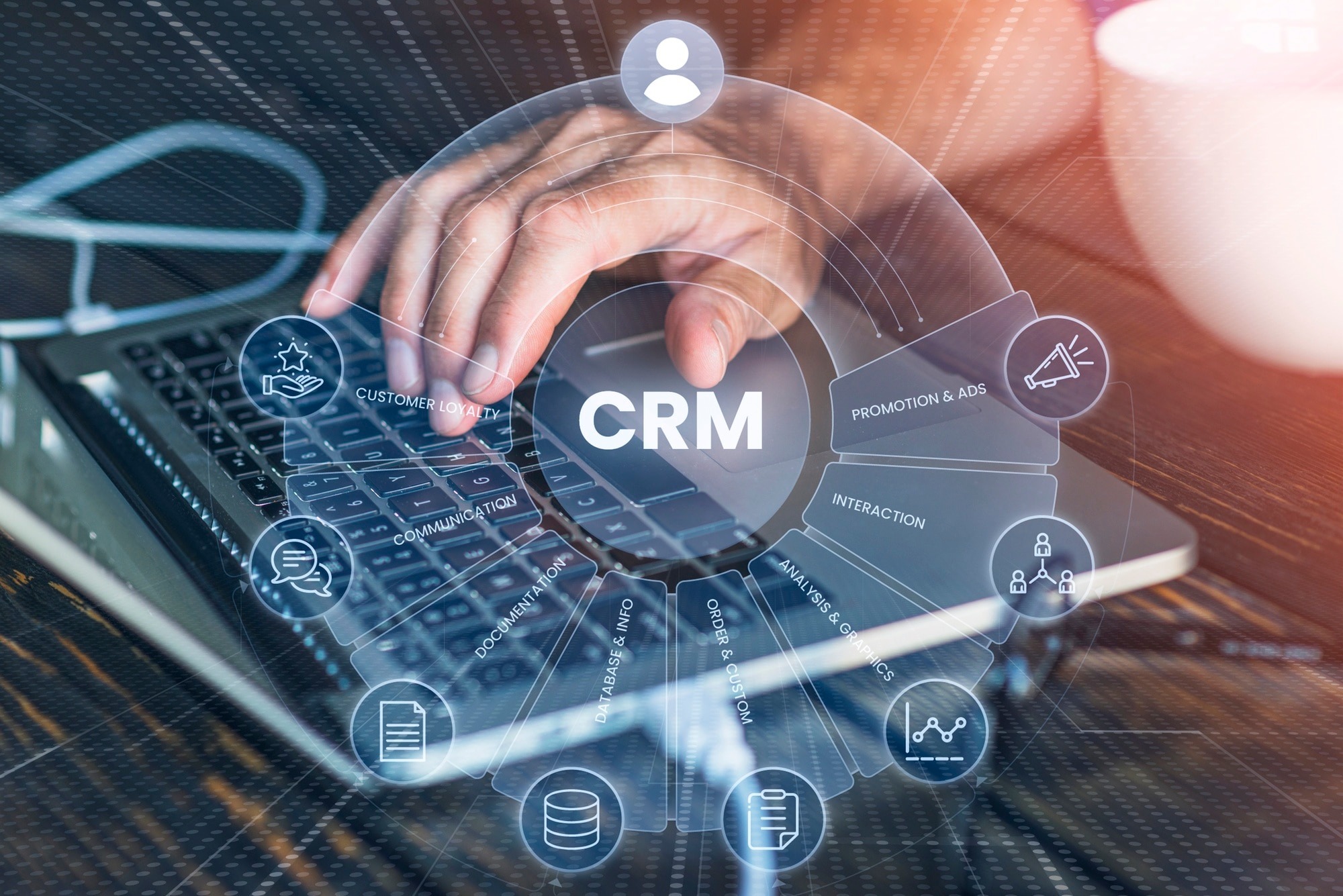
Customer relationships drive revenue. The systems that manage those relationships are now a top target for attackers, a compliance obligation for regulators, and a strategic lever for growth. Cloud CRM sits at the intersection of all three, which is why organizations from mid-market companies to global enterprises are making the shift, and why getting it right matters more than ever.
This guide covers the full picture: what cloud CRM is, how it compares to on-premise systems, the security and identity challenges you will face, and a practical framework for migrating and securing your environment.
What Is Cloud CRM?
Definition
Cloud CRM is customer relationship management software hosted on remote servers and delivered over the internet, rather than installed on local hardware. Organizations access it through a web browser or mobile app, paying a subscription fee instead of managing infrastructure. It centralizes sales, marketing, and service data in a shared platform accessible from anywhere.
How Cloud CRM Works
Cloud CRM platforms run on the vendor’s infrastructure, typically hosted across multiple data centers for redundancy. Users authenticate through a browser or native app, and data is synchronized in real time across all connected users. The vendor manages server maintenance, security patching, backups, and uptime, while your team focuses on using the platform rather than running it.
Behind the scenes, most leading platforms use a multi-tenant architecture, meaning multiple customer organizations share the same underlying infrastructure while their data remains logically separated. Some enterprise deployments use single-tenant configurations for stricter data isolation, which matters particularly in highly regulated industries.
Integration happens through APIs. Your cloud CRM connects to your ERP, marketing automation tools, support platforms, and identity providers, creating a unified customer data environment.
Cloud CRM vs Traditional CRM
Traditional on-premise CRM required organizations to purchase server hardware, buy perpetual software licenses, hire in-house IT staff to manage upgrades, and maintain local backups. The total cost was high and visibility was often siloed by office location.
Cloud CRM changed that model completely. Updates deploy automatically. Capacity scales without hardware procurement. Remote teams access the same data in real time. The tradeoff is that you give up direct control of the infrastructure, which makes identity security and access governance more important than ever.
Cloud CRM vs On-Premise CRM
Choosing between cloud and on-premise deployment is not purely a technology decision. It touches budget cycles, IT staffing, compliance obligations, and how quickly your business needs to move.
Cost Comparison
On-premise deployments carry heavy upfront costs: server hardware, software licenses, implementation consulting, and the ongoing cost of IT staff to maintain everything. Cloud CRM shifts those costs to a predictable monthly or annual subscription. For most organizations, total cost of ownership over five years favors cloud, though large enterprises with existing data center investments sometimes find the math less clear.
Scalability
Adding users to an on-premise CRM means provisioning more servers or buying additional licenses in advance. Cloud CRM scales in minutes. A sales team growing from 50 to 500 users does not require a procurement cycle or hardware refresh.
Security
This is where the conversation gets nuanced. Cloud vendors invest heavily in physical security, encryption, and infrastructure hardening at a scale most individual organizations cannot match. However, cloud environments introduce new identity risks. Every user authenticates over the internet, which means credential-based attacks, phishing, and unauthorized access become the primary threat vectors. On-premise CRM kept data inside a network perimeter. Cloud CRM eliminates that perimeter entirely.
Maintenance
On-premise systems require your team to manage patching, upgrades, and hardware lifecycle. Cloud CRM vendors handle that automatically, which reduces IT overhead but also means you have less control over the timing of changes.
Performance
Modern cloud CRM platforms deliver strong performance for most use cases, with uptime SLAs typically at 99.9% or higher. Latency can be a consideration for organizations in regions far from vendor data centers, though most major providers like Salesforce, Microsoft Dynamics 365, and Oracle CRM have expanded their regional infrastructure significantly.
Deployment Speed
An on-premise CRM implementation can take six to eighteen months before go-live. Cloud CRM deployments typically run faster, often in the range of weeks to a few months for mid-market organizations, though enterprise deployments with complex integrations and data migration still require careful planning.
Cloud CRM vs On-Premise CRM Comparison Table
| Factor | Cloud CRM | On-Premise CRM |
|---|---|---|
| Upfront Cost | Low (subscription) | High (licenses + hardware) |
| Ongoing Cost | Predictable monthly fee | Variable (maintenance + staff) |
| Scalability | On-demand | Requires hardware procurement |
| Security Control | Shared responsibility | Full internal control |
| Deployment Speed | Weeks to months | Months to over a year |
| Maintenance | Vendor-managed | Internal IT responsibility |
| Accessibility | Any device, anywhere | Network/VPN required |
| Disaster Recovery | Built-in redundancy | Must be architected separately |
| Compliance Visibility | Vendor certifications + IAM | Internal audit tools |
| Customization | API-driven, platform-limited | Deep customization possible |
Benefits of Cloud CRM

Lower Infrastructure Costs
Eliminating server hardware, data center space, and the associated power and cooling costs frees capital for growth. Organizations also shed the hidden cost of hardware refresh cycles and the IT labor that goes with them.
Better Collaboration
When sales, marketing, and customer service teams access the same live data, handoffs improve and customer interactions become more consistent. A support agent handling a complaint can see the full purchase and communication history. A sales rep can see open support tickets before a renewal call. Cloud CRM makes that kind of cross-functional visibility routine rather than exceptional.
Remote Workforce Enablement
The shift to distributed and hybrid work made cloud CRM a practical necessity for many organizations. Sales teams working across multiple time zones, remote customer service agents, and field staff using mobile apps all depend on a platform that travels with them. On-premise systems tied to VPN access or office networks cannot match that flexibility.
Scalability
Growth should not be limited by your software infrastructure. Cloud CRM accommodates seasonal volume spikes, geographic expansion, and rapid headcount growth without requiring advance planning on the infrastructure side.
Automatic Updates
Vendors push updates, security patches, and new features on regular release cycles. Your team does not manage patch schedules or plan upgrade windows. New capabilities arrive without migration projects.
Business Agility
A company evaluating a new market or testing a new sales motion can spin up a cloud CRM instance, configure it for the use case, and validate results before making a long-term commitment. That speed of experimentation is structurally impossible with on-premise deployments.
Better Customer Experience
When customer data is complete, accessible, and up to date across every touchpoint, service quality improves. Personalization becomes feasible at scale. Response times decrease. Customer experience depends on data quality and access, and cloud CRM enables both.
Security Challenges of Cloud CRM
Cloud CRM security is not about whether the vendor’s data center is secure. It usually is. The real risks are centered on identity, access, and how your organization configures and governs the platform.

Unauthorized Access
When a CRM system is accessible from any browser anywhere in the world, the attack surface is enormous. Weak passwords, shared accounts, and dormant user accounts left active after an employee departs all create exposure. Unauthorized access is the leading cause of cloud data breaches, and CRM systems hold exactly the kind of data attackers want: names, email addresses, phone numbers, deal history, and sometimes payment information.
Insider Threats
Not every threat comes from outside. Employees with overly broad CRM access can export customer lists, share proprietary pipeline data with competitors, or accidentally expose records to unauthorized colleagues. Insider threats are difficult to detect without proper access governance and activity monitoring in place.
Credential Theft
Phishing attacks targeting CRM credentials are common. Once an attacker obtains valid credentials for a sales representative’s account, they gain legitimate access to the platform and its data. Multi-factor authentication closes the most obvious gap, but credential hygiene, password management, and user awareness training are all part of the equation.
Data Breaches
CRM data breaches carry significant regulatory and reputational consequences. Customer personally identifiable information stored in cloud CRM falls under GDPR, HIPAA in healthcare contexts, and PCI DSS if payment-adjacent data is included. A single improperly secured account can expose millions of records.
Third-Party Risks
Modern CRM environments connect to dozens of third-party applications through APIs and native integrations. Marketing automation platforms, customer support tools, email systems, and business intelligence tools all touch CRM data. Each integration point is a potential entry vector if access controls and API security are not properly managed.
API Security
APIs are the connective tissue of cloud CRM ecosystems, and they are frequently misconfigured or inadequately secured. Excessive permissions granted to API tokens, lack of rate limiting, and poor token rotation practices all create risk. Organizations moving to cloud CRM need to treat API security as part of their core identity and access governance program, not an afterthought.
Why Identity Security Is Essential for Cloud CRM
The network perimeter is gone. In a cloud CRM environment, identity is the new perimeter. Every access control decision, compliance requirement, and security posture improvement flows through how you manage who has access to what, under what conditions, and for how long.

Identity and Access Management (IAM)
IAM establishes the foundation: user provisioning, authentication, authorization, and deprovisioning. For cloud CRM, that means every user account is created with appropriate access rights from day one, those rights are reviewed periodically, and accounts are deactivated immediately when employees change roles or leave the organization. Without IAM discipline, cloud CRM environments accumulate stale accounts and excessive permissions over time.
Identity Governance
Identity governance adds the oversight layer. It defines who owns access decisions, how access requests are approved, and how access is reviewed and certified on a regular cycle. Identity governance answers the question your auditors will ask: can you demonstrate that everyone with CRM access should have that access, and that access rights match job responsibilities?
Access Certification
Access certification is the formal process of reviewing and confirming that existing access rights are still appropriate. For a CRM system with hundreds or thousands of users, manual review is impractical. Automated access certification campaigns route review tasks to the appropriate managers and data owners, flag anomalies, and create an audit trail that demonstrates compliance.
Role-Based Access Control (RBAC)
RBAC assigns permissions based on job function rather than individual user configuration. A sales development representative gets read and write access to leads and contacts. An account executive gets access to opportunities and accounts. A sales operations analyst gets reporting access but not the ability to modify records. RBAC reduces the blast radius of a compromised account and makes access reviews manageable at scale.
Single Sign-On (SSO)
SSO lets users authenticate once through your corporate identity provider and access cloud CRM without a separate login. It improves user experience, reduces password fatigue, and centralizes authentication monitoring. When an employee is terminated, revoking access in the identity provider immediately cuts off access to every connected application including the CRM, rather than requiring separate deprovisioning in each system.
Multi-Factor Authentication (MFA)
MFA requires users to verify their identity through a second factor beyond their password, typically a mobile authenticator app, SMS code, or hardware token. For cloud CRM, MFA is not optional. It is the single most effective control against credential theft and account takeover attacks. Organizations that enforce MFA across their CRM users significantly reduce their exposure to phishing-based breaches.
Password Management
Weak or reused passwords remain a primary attack vector. Password management solutions enforce complexity requirements, eliminate password reuse, and provide enterprise visibility into credential hygiene. For CRM administrators and users with elevated privileges, strong password management is a basic security requirement.
Zero Trust Security
Zero Trust is a security model built on one principle: never trust, always verify. Every access request is authenticated, authorized, and continuously validated regardless of whether it comes from inside the corporate network or outside it. For cloud CRM, Zero Trust means users verify their identity every session, access is granted based on current context (device health, location, role), and lateral movement within the environment is restricted by design. It is not a single product purchase. It is an architectural approach that requires IAM, network segmentation, endpoint security, and continuous monitoring working together.
Cloud CRM Compliance Requirements
Cloud CRM deployments touch customer data, which means compliance is not optional. The specific requirements depend on your industry, the data you collect, and the geographies where you operate.
GDPR
The General Data Protection Regulation applies to any organization processing personal data of individuals in the European Union, regardless of where the organization is headquartered. For cloud CRM, GDPR requires lawful basis for data processing, data subject rights (access, correction, deletion), data breach notification within 72 hours, and documented data processing agreements with CRM vendors. Access controls and audit logging are essential for demonstrating compliance.
HIPAA
Healthcare organizations and their business associates storing or transmitting protected health information through a CRM must comply with HIPAA. This includes technical safeguards such as encryption, access controls, audit controls, and integrity controls. Using a cloud CRM in a HIPAA context requires a signed Business Associate Agreement (BAA) with the vendor and internal controls that restrict PHI access to authorized users only.
SOC 2
SOC 2 is an auditing standard relevant to any organization providing services involving customer data. If your organization processes client data through a cloud CRM and sells services to enterprise customers, your clients may require SOC 2 Type II certification as a condition of doing business. SOC 2 evaluates security, availability, processing integrity, confidentiality, and privacy controls.
ISO 27001
ISO 27001 is an international standard for information security management systems. Organizations pursuing ISO 27001 certification need to demonstrate a systematic approach to managing information security risks, including those related to cloud applications. CRM access governance, change management, and incident response all factor into ISO 27001 compliance.
PCI DSS
Any organization that processes, stores, or transmits cardholder data must comply with the Payment Card Industry Data Security Standard. If your CRM integrates with payment systems or stores any payment-adjacent customer data, PCI DSS controls apply. This includes strict access control requirements, encryption, and regular access reviews.
Best Practices for Cloud CRM Security
Least Privilege Access
Every user should have the minimum access necessary to do their job. Start with a restrictive default and grant additional access through a formal request and approval process. Audit current permissions regularly to identify and remediate access that has grown beyond what the role requires.
Identity Lifecycle Management
User access should be managed across the full employment lifecycle: provisioning when a user joins, updating when they change roles, and deprovisioning promptly when they leave. Automated identity lifecycle management connected to your HR system dramatically reduces the window of risk created by stale accounts and mismatched permissions.
Regular Access Reviews
Conduct quarterly or semi-annual access certification campaigns for CRM users, with more frequent reviews for privileged accounts. Make business managers accountable for confirming that their team’s access is appropriate. Automated platforms make this practical even at enterprise scale.
Continuous Monitoring
Log all user activity within the CRM. Establish baselines for normal behavior and configure alerts for anomalies: bulk data exports, access outside normal hours, access from unusual locations, or repeated failed authentication attempts. Integrate CRM audit logs with your SIEM for centralized visibility.
Security Awareness Training
Users are frequently the weakest link. Regular training on phishing recognition, credential hygiene, and secure data handling reduces the human risk factor. Training should be specific to CRM scenarios: what data is stored, why it is sensitive, and how employees should respond to suspicious access requests or unusual system behavior.
Incident Response Planning
Have a documented plan for responding to a CRM security incident. Who gets notified first? What access is revoked? How is the incident investigated? How are affected customers notified if required by regulation? Organizations that have not rehearsed incident response before a breach face significantly higher recovery costs and regulatory exposure.
Cloud CRM Migration Best Practices

Planning
Successful migrations begin with a clear current-state assessment. Catalog your existing CRM data: what records exist, what custom fields and configurations have been built, what integrations are in place, and what business processes depend on the platform. Define success criteria before the project starts so you have an objective way to evaluate whether the migration achieved its goals.
Identify stakeholders early. Sales operations, IT, legal, compliance, and end users all have a stake in how the migration unfolds. A steering committee with authority to make decisions speeds up the project considerably.
Data Migration
Data quality problems that existed in the old system will follow you into the new one if not addressed during migration. Run a data audit before migration to identify duplicates, incomplete records, and outdated information. Decide what data is worth migrating and what can be archived or discarded.
Map fields from the source system to the destination system carefully. Many migration failures come from assumptions about how data types and field structures correspond between platforms. Test migrations in a sandbox environment before running production data.
User Training
The best CRM deployment fails if users do not adopt it. Training should be role-specific, not generic. A sales development representative needs to know how to log calls and update lead status. A marketing manager needs to understand campaign attribution and list management. Build training around real workflows, not platform features.
Testing
Run parallel systems for a defined period before cutover. Validate that all integrations are functioning, that data has migrated accurately, and that business processes work as expected in the new environment. Test access controls specifically: confirm that each role has the permissions it is supposed to have and cannot access records it should not.
Post-Migration Optimization
The first go-live is not the end of the project. Monitor adoption metrics, gather user feedback, and iterate on configurations. Post-migration optimization typically includes refining automation rules, improving data quality processes, and expanding integrations as teams become comfortable with the platform.
Cloud CRM Migration Framework
| Phase | Key Activities | Success Metrics |
|---|---|---|
| Discovery | Current state audit, stakeholder alignment, requirements gathering | Scope defined, data inventory complete |
| Planning | Migration approach, data mapping, integration design, risk assessment | Migration plan approved, test environment ready |
| Data Preparation | Data cleansing, deduplication, field mapping | Data quality score above threshold |
| Configuration | Platform setup, role configuration, integration build | All integrations tested, RBAC configured |
| Testing | UAT, data validation, integration testing, security testing | Zero critical defects, access controls verified |
| Training | Role-based training, admin training, documentation | Adoption readiness confirmed by stakeholder sign-off |
| Cutover | Production migration, parallel run, go-live | System stable, users active |
| Optimization | Adoption monitoring, feedback loops, configuration refinement | Adoption targets met, support ticket volume declining |
Common Mistakes Organizations Make During CRM Migration
Underestimating data quality issues is probably the most expensive mistake. Organizations assume their existing data is clean and discover mid-migration that years of inconsistent data entry have created a remediation project that dwarfs the migration itself.
Skipping the access governance design step is common and creates problems that take years to fix. When CRM admins configure access quickly to meet a go-live deadline, permissions end up overly broad and then become the default over time.
Cutting training budgets late in the project is another pattern. Training is often treated as optional when schedules slip, but low adoption after go-live is directly traceable to insufficient user preparation.
Migrating without a rollback plan creates unnecessary risk. If the new system encounters critical issues post-cutover, having no path back to the previous state can leave the business operating without reliable customer data.
Treating integration as an afterthought leads to broken workflows at go-live. CRM integrations with marketing automation, ERP, and support platforms need to be designed, tested, and validated as part of the core migration scope, not added at the end.
Future Trends in Cloud CRM

AI-Powered CRM
Artificial intelligence is being embedded throughout leading CRM platforms. Salesforce Einstein, Microsoft Dynamics 365 Copilot, and similar capabilities are moving from experimental features to core platform functions. AI surfaces the next best action for a sales rep, scores leads based on behavioral signals, and drafts personalized email responses based on previous interactions. Organizations that build clean, well-governed CRM data today will be better positioned to leverage these capabilities as they mature.
Predictive Analytics
The shift from reporting on past activity to predicting future outcomes is accelerating. Cloud CRM platforms are integrating predictive analytics that forecast deal close probability, churn risk, and lifetime value. The quality of these predictions depends entirely on data completeness and accuracy, reinforcing the importance of strong data governance from day one.
Cloud-Native CRM
The next generation of CRM platforms is being built specifically for cloud infrastructure, taking full advantage of containerization, serverless architecture, and global edge delivery. This shift means faster performance, more flexible customization through APIs and low-code tools, and tighter integration with cloud-native identity platforms.
Intelligent Automation
Workflow automation in CRM is evolving from simple rule-based triggers to context-aware processes that adapt based on customer behavior, business conditions, and historical patterns. Sales cycles, onboarding sequences, and renewal processes are increasingly automated in ways that reduce manual work without sacrificing the quality of customer interaction.
Identity-Centric Security
The trend toward treating identity as the primary security control is accelerating across cloud environments. Cloud CRM security strategies are converging around continuous identity verification, behavioral analytics, and adaptive access policies that adjust based on risk signals in real time. Organizations investing in IAM modernization today are building the foundation for this model.
Why Organizations Choose Avancer Corporation for Secure Cloud Transformation
Securing a cloud CRM deployment requires more than configuring the platform. It requires a comprehensive identity security strategy that connects user provisioning, access governance, authentication, and compliance into a coherent program.
Avancer Corporation helps enterprises tackle that challenge by addressing the full identity lifecycle across cloud environments. Organizations working with Avancer typically start by modernizing their Identity and Access Management infrastructure, establishing a clean foundation of user provisioning and deprovisioning processes that connect HR systems to cloud applications including CRM platforms.
From there, the focus shifts to Identity Governance. Avancer helps organizations design and implement access certification programs that give business managers visibility and accountability over who has access to what, and provides the documentation that auditors need to confirm compliance with GDPR, HIPAA, SOC 2, and other frameworks.
Single Sign-On implementation is another core area. By centralizing authentication through a corporate identity provider, organizations gain both security and usability benefits. Users authenticate once, access flows to all connected applications, and deprovisioning becomes an immediate, centralized action rather than a multi-system checklist.
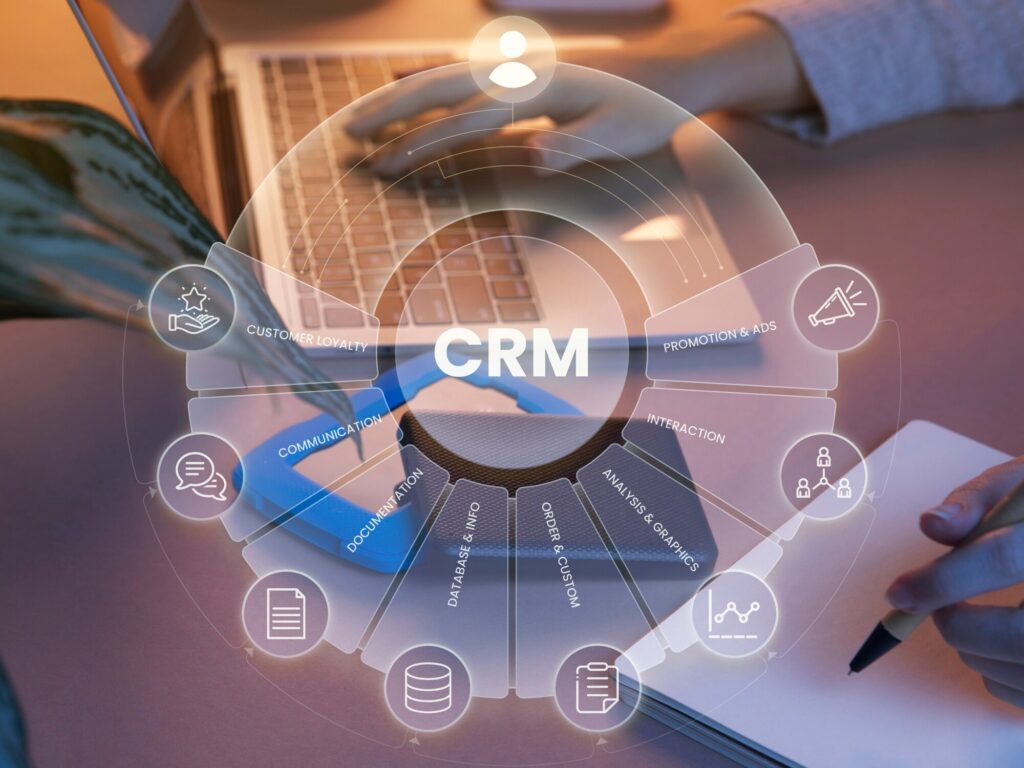
Multi-Factor Authentication deployment is frequently one of the first priorities, and for good reason. MFA directly addresses the most common cloud CRM attack vector: credential theft. Avancer supports MFA rollout across complex enterprise environments, including handling the change management challenges that often accompany organization-wide MFA adoption.
For organizations with complex role structures, Avancer’s expertise in Role Management and RBAC design helps ensure that CRM permissions are aligned with actual job functions rather than accumulated through years of ad hoc access requests. This work directly reduces insider risk and simplifies compliance documentation.
Password Management solutions round out the identity program by eliminating weak credential practices that remain common even in security-conscious organizations.
The common thread across all of these areas is that Avancer brings both the technical implementation depth and the organizational change experience required to make identity programs stick in real enterprise environments. Cloud CRM is one of the most valuable and most exposed systems in the modern enterprise. Protecting it requires treating identity security as a first-class requirement from the start of any deployment, migration, or modernization project.
Conclusion:
Cloud CRM has become the operational backbone of the modern customer-facing enterprise. The scalability, accessibility, and economics are compelling, and the gap between cloud and on-premise capabilities continues to widen as vendors invest in AI, automation, and global infrastructure.
But moving customer data to the cloud without a parallel investment in identity security is a significant risk. The perimeter-based security model that protected on-premise CRM does not apply in cloud environments. Identity is the control plane, and how well you manage it determines whether your cloud CRM is an asset or a liability.
Zero Trust architecture, IAM, Identity Governance, Access Certification, MFA, and SSO are not security buzzwords. They are the practical controls that protect customer data, satisfy auditors, and reduce the blast radius when incidents occur. Organizations that build these capabilities into their cloud CRM from the start avoid the much more expensive process of retrofitting security after a breach or a failed audit.
The path to secure cloud CRM is well understood. The organizations that execute it well treat identity security as a business requirement, not an IT afterthought, and partner with advisors who can bring both technical depth and enterprise experience to the challenge.
Frequently Asked Questions:
What is Cloud CRM?
Cloud CRM is customer relationship management software hosted on remote servers and delivered as a service over the internet. Instead of installing software on local hardware, organizations access the platform through a browser or app, paying a subscription fee while the vendor manages infrastructure, updates, and security.
What are the benefits of Cloud CRM?
The primary benefits include lower infrastructure costs, faster deployment, scalability on demand, automatic software updates, improved collaboration across distributed teams, and easier access for remote and mobile workers. Cloud CRM also enables better integration with other business applications through APIs.
Is Cloud CRM secure?
Cloud CRM platforms from established vendors like Salesforce, Microsoft Dynamics 365, and Oracle CRM invest heavily in infrastructure security. However, most cloud CRM security incidents result from weak identity controls on the customer side: compromised credentials, excessive permissions, or poorly governed access. Security depends on both the vendor’s platform hardening and your organization’s identity and access management practices.
Cloud CRM vs On-Premise CRM: Which is better?
For most organizations, cloud CRM delivers better total cost of ownership, faster time to value, and greater flexibility. On-premise CRM may still make sense for organizations with very specific data sovereignty requirements, deep existing infrastructure investments, or compliance constraints that preclude third-party hosting. The right answer depends on your specific business context.
What are the biggest Cloud CRM security risks?
The most significant risks are unauthorized access through compromised credentials, excessive user permissions that expand the blast radius of any breach, inadequate deprovisioning of departed employees, insecure API integrations, and insufficient monitoring of user activity within the platform.
How does IAM improve Cloud CRM security?
Identity and Access Management provides the framework for managing who has access to the CRM, what they can do within it, and when that access should be revoked. IAM enables automated provisioning aligned to job roles, centralized authentication through SSO, immediate deprovisioning on termination, and audit trails that satisfy compliance requirements.
Why is Identity Governance important for Cloud CRM?
Identity Governance ensures that CRM access rights remain appropriate over time. Without governance, permissions accumulate as employees change roles and new use cases emerge. Access certification campaigns, owned by business managers rather than just IT, provide the accountability and documentation that compliance frameworks require.
What is Zero Trust security?
Zero Trust is a security model that eliminates implicit trust based on network location. Every access request is authenticated and authorized based on user identity, device health, and context, regardless of whether it originates inside or outside the corporate network. For cloud CRM, Zero Trust means no user or device is automatically trusted simply because they have valid credentials.
What are Cloud CRM migration best practices?
Start with a thorough data audit and cleansing exercise before any migration begins. Design your RBAC model before configuring the platform. Run thorough integration testing in a sandbox environment. Invest in role-specific user training rather than generic platform walkthroughs. Maintain a rollback plan, and treat post-migration optimization as a defined project phase rather than an afterthought.
Which industries benefit most from Cloud CRM?
Financial services, healthcare, technology, retail, manufacturing, and professional services all see significant benefits. Industries with distributed sales teams, complex customer relationships, or heavy compliance requirements tend to see the highest ROI from cloud CRM adoption
